








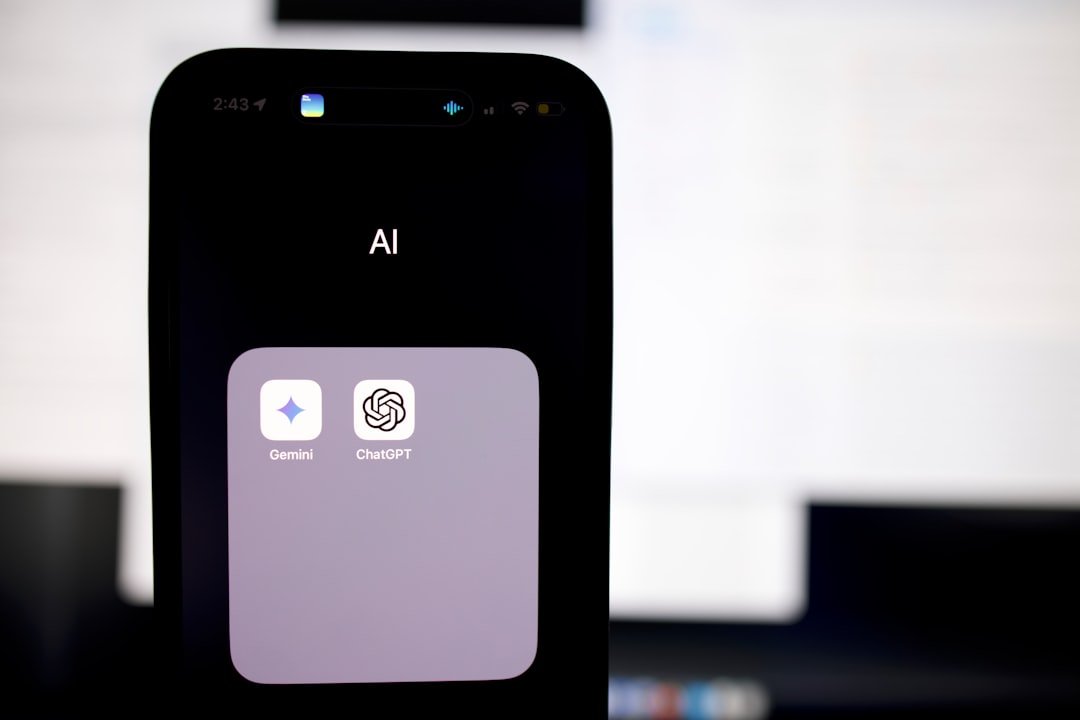
Google Gemini is rapidly becoming an indispensable tool in the classroom, evolving beyond a simple search engine to become a versatile assistant deeply integrated into many platforms and services. For educators and students alike, this means a powerful AI companion is increasingly at their fingertips, ready to help with everything from lesson planning to research and even creative tasks. It’s not just a standalone app; it’s weaving itself into the fabric of the digital learning environment, making advanced AI more accessible than ever before.
Gemini’s unique strength lies in its multimodal capabilities and deep integration. Unlike previous AI models, Gemini can understand and generate content across text, code, audio, image, and video. This makes it incredibly powerful for diverse learning and teaching styles.
Multimodal Understanding
Imagine an AI that doesn’t just read an essay but can also analyze a graph presented in an image, summarise a video lecture, or even help you understand complex code snippets. This is where Gemini shines.
- Visual Learning: Students can upload diagrams, maps, or even photos of a science experiment and ask Gemini to explain key concepts or identify elements. Teachers can use this to quickly generate explanations for visual aids.
- Audio and Video Analysis: For subjects like history or literature, Gemini could summarise a documentary or extract key quotes from an interview, saving valuable time. Language learners could get instant transcriptions and translations of audio clips.
- Code Comprehension: For those studying computer science, Gemini can explain complex algorithms, debug code, or even generate example code snippets in various languages.
Seamless Integration
The real game-changer is Gemini’s presence across the Google ecosystem. It’s not a separate application you have to open; it’s increasingly built into tools you might already be using daily.
- Google Workspace (formerly G Suite): Expect to see Gemini features appearing in Google Docs, Slides, and Sheets. This means AI-powered writing assistance, presentation generation, and data analysis could become standard.
- Chrome Browser: Imagine asking your browser to summarise a lengthy academic article you’re reading or explain a complex scientific term you encounter on a webpage.
- Android Devices: For students using Android phones or tablets, Gemini can assist with organisation, research, and even creative tasks on the go.
Access and Equity
Google’s broader initiative is to make sophisticated AI accessible to everyone. This has significant implications for educational equity. By integrating Gemini into widely available and often free Google services, it democratises access to advanced learning tools that might otherwise be prohibitively expensive or complex to use. It helps level the playing field, ensuring more students can benefit from personalised assistance.
How Teachers Can Leverage Gemini for Enhanced Instruction
For educators, Gemini offers a significant opportunity to streamline administrative tasks, create more engaging content, and provide more targeted support to students. It’s about working smarter, not harder.
Lesson Planning and Resource Creation
Gone are the days of spending hours trawling through textbooks and websites for ideas and materials. Gemini can act as a tireless assistant in the lesson preparation phase.
- Generating Diverse Lesson Ideas: Provide Gemini with a topic and target age group, and it can suggest various activities, discussion points, and even project ideas, catering to different learning styles.
- Creating Differentiated Content: Teachers can ask Gemini to rephrase complex texts for students with varying reading levels or to generate supplementary materials in different formats (e.g., a simple infographic from a detailed explanation).
- Developing Assessment Questions: Gemini can help teachers craft multiple-choice questions, open-ended prompts, or even case studies based on specified learning objectives and content. This can significantly reduce the time spent creating quizzes and exams.
- Curating Multimedia Resources: Need a list of relevant YouTube videos, academic articles, or interactive simulations for a particular topic? Gemini can quickly search and recommend resources, saving valuable research time.
Personalised Feedback and Support
While Gemini won’t replace human interaction, it can augment a teacher’s ability to provide more individualised feedback and support, especially in larger classes.
- Drafting Initial Feedback: For essays or written assignments, Gemini can highlight grammatical errors, suggest structural improvements, or even point out areas where arguments could be strengthened. Teachers can then refine this or use it as a starting point.
- Explaining Complex Concepts in Multiple Ways: If a student is struggling with a particular concept, a teacher can use Gemini to generate alternative explanations, analogies, or examples to help clarify understanding.
- Language Support for ESL Students: Gemini can translate instructions, provide definitions of unfamiliar vocabulary, or help students with grammar and sentence structure, supporting their integration into English-speaking classrooms.
Streamlining Administrative Tasks
Let’s be honest, administrative burdens often consume a significant portion of a teacher’s time. Gemini can help lighten that load.
- Drafting Communications: From parent emails to internal memos, Gemini can help draft clear and professional communications, allowing teachers to focus on content rather than phrasing.
- Summarising Meetings or Documents: If you have a long faculty meeting transcript or a lengthy policy document, Gemini can quickly provide a concise summary of key points and action items.
- Organising Information: Need to categorise student responses, compile a list of resources, or create a schedule? Gemini can assist with various data organisation tasks.
How Students Can Empower Their Learning with Gemini
Gemini isn’t just for teachers; it’s a potent tool for students looking to take more control of their learning journey, enhance understanding, and boost productivity.
Research and Information Gathering
The internet is vast, and knowing where to start researching can be daunting. Gemini can act as a personal research assistant.
- Summarising Scholarly Articles: Complex academic papers can be dense. Students can input an article and ask Gemini to provide a concise summary, highlight key arguments, or explain specific terminology.
- Finding Reliable Sources: While not foolproof, Gemini can help students identify potential sources, compare different viewpoints on a topic, and even offer suggestions for formulating effective search queries.
- Explaining Complex Topics: Struggling with a concept in physics or history? Students can ask Gemini to explain it in simpler terms, provide examples, or break it down into smaller, more digestible parts.
- Fact-Checking and Cross-Referencing: Students can use Gemini to quickly check facts or compare information from multiple sources, fostering a more critical approach to online content.
Homework and Study Aid
From essay writing to problem-solving, Gemini can be a supportive partner in tackling homework and preparing for exams.
- Brainstorming and Outlining Essays: Before writing, students can ask Gemini to brainstorm ideas for an essay, help structure an outline, or even suggest different approaches to an argument.
- Drafting and Refining Written Work: Gemini can assist with grammar, spelling, and punctuation, but more importantly, it can offer suggestions for improving clarity, coherence, and conciseness in writing. It can help students identify weak arguments or areas needing further development.
- Practising for Exams: Students can ask Gemini to generate practice questions based on their study materials, create flashcards, or even explain answers to practice problems in detail.
- Understanding Mathematical and Scientific Concepts: For subjects heavy in problem-solving, Gemini can walk students through the steps to solve a particular type of problem, explain the underlying principles, or clarify formulas.
Enhancing Creativity and Critical Thinking
It’s a common misconception that AI stifles creativity. In reality, Gemini can be a springboard for innovative ideas and deeper critical thought.
- Generating Creative Prompts: For creative writing, art, or design projects, students can ask Gemini for prompts, ideas, or even different perspectives to spark their imagination.
- Exploring Different Viewpoints: When analysing literature or historical events, students can ask Gemini to present arguments from various perspectives, helping them to develop a more nuanced understanding.
- Developing Presentation Skills: Students can practise their presentation by explaining a topic to Gemini, which can then provide feedback on clarity, structure, and suggested improvements.
- Learning New Skills: Interested in a new coding language or a historical period? Gemini can provide introductory lessons, explain basic concepts, and recommend further learning resources.
The Ethical Considerations and Best Practices
While the benefits are clear, it’s crucial to acknowledge and address the ethical implications of using AI in education. Thoughtful integration and clear guidelines are paramount.
Academic Integrity and Plagiarism
This is perhaps the most pressing concern. Students using AI to generate entire assignments unchecked undermines the learning process.
- Explain Responsible Use: Educators must clearly communicate what constitutes acceptable use of AI and what crosses the line into plagiarism. This isn’t about banning AI but teaching students how to use it ethically.
- Teach AI as a Tool, Not a Replacement: Emphasise that Gemini is a powerful assistant for drafting, researching, and brainstorming, but the final output and understanding must come from the student.
- Focus on Process Over Product: Shift assessment methods to focus more on the thought process, critical analysis, and original synthesis of ideas rather than just the final answer. Oral presentations, reflections on the AI-assisted process, and in-class examinations can help.
- Develop AI Literacy: Teach students to critically evaluate AI-generated content, recognising its limitations and potential biases. Not everything Gemini says is gospel.
Data Privacy and Security
Integrating AI into educational systems inevitably raises questions about student data.
- Understand Google’s Policies: Schools and individual users need to understand Google’s data privacy policies regarding Gemini and ensure they comply with local regulations (e.g., GDPR in the UK).
- Anonymisation Practices: Where possible, encourage the anonymisation of data when interacting with AI, especially for sensitive topics.
- Parental Consent: For younger students, schools may need to consider parental consent for AI tool usage, especially if personal data is involved.
Bias and Accuracy
AI models, including Gemini, are trained on vast datasets that can contain biases or inaccuracies.
- Critical Evaluation: Both teachers and students must be taught to critically evaluate Gemini’s output. Does the information align with known facts? Are there any subtle biases in its explanations?
- Diverse Data Training: Google is actively working to mitigate bias in its AI models by incorporating more diverse training data, but it’s an ongoing process.
- Cross-Referencing: Always encourage cross-referencing information obtained from Gemini with other reputable sources. Treat it as a starting point, not the definitive answer.
The Future of Education with Gemini
| Metrics | Data |
|---|---|
| Classroom Assistant Integration | Yes |
| Accessibility | High |
| Features | Extensive |
| Usability | Intuitive |
The integration of Gemini into the classroom is not a fad; it’s a fundamental shift in how we approach teaching and learning. It represents a move towards more personalised, efficient, and engaging educational experiences.
Evolving Pedagogy
Teachers will increasingly become facilitators of learning, guiding students on how to effectively use AI tools, interpret their output, and apply critical thinking. The focus will shift from rote memorisation to higher-order thinking skills.
- Project-Based Learning: Gemini can support more complex, interdisciplinary projects, allowing students to explore topics in greater depth with AI assistance.
- Adaptive Learning Paths: With Gemini’s potential in personalised learning, educators can tailor content and challenges to individual student needs and paces more easily.
- Developing AI Fluency: Understanding how to effectively use, prompt, and critically assess AI will become a crucial skill for all students, preparing them for a future where AI is ubiquitous.
Lifelong Learning
The benefits of Gemini extend beyond formal education. It can become a powerful tool for lifelong learners, enabling individuals to acquire new skills, stay updated on knowledge, and explore interests independently.
- Self-Directed Study: Individuals can use Gemini to learn new languages, acquire coding skills, or delve into historical periods, receiving personalised instruction and feedback.
- Professional Development: Professionals can use Gemini to summarise industry reports, understand new technical concepts, or develop presentation materials, continually enhancing their expertise.
- Accessibility: For individuals with learning disabilities or accessibility needs, Gemini offers alternative modes of learning and support, making education more inclusive.
As Gemini continues to evolve and integrate further into our digital lives, its potential in the classroom is truly transformative. It’s not about replacing the human element of education, but rather augmenting it, providing teachers and students with unprecedented capabilities to explore, create, and learn in ever more effective ways. The key to harnessing this power lies in thoughtful implementation, continuous learning about its capabilities and limitations, and a commitment to ethical and responsible use. The ultimate classroom assistant is indeed becoming built into everything.